 Reefer alarm
Fleet
A fleet operations console in the register of Samsara, Onfleet and project44: KPI strip, live map with the vehicle list and a selected-truck panel, an attention queue with dashcam stills, hours of service, maintenance, a loads board, safety and fuel.
Dispatch, fleet and logistics operations
logistics-dashboard.code-anything.app
Calder Freight/Operations
Operations overview
168 vehicles · 4 terminals · 96 drivers on duty
- Vehicles in service142/ 16884.5% utilised
- On-time delivery96.4%▲ 1.2 pts vs last wk
- Open exceptions72 critical
- Loads in transit6431 scheduled today
- Idle time11.2%▼ 0.8 pts vs last wk
- Fuel economy6.9mpg▲ 0.2 vs last wk
Vehicles 168
View all- T-214 · Maria CastellanonowReefer 43.1 °F · I-90 E · near Elgin, IL · 58 mph
- T-207 · James WhitfieldnowHOS 38 min left · I-94 E · Kenosha, WI · 62 mph
- T-331 · Daniel Oseinow47 mph · I-294 N · Rosemont, IL
- T-076 · Karin Lindqvistnow64 mph · I-90 W · Rockford, IL
- T-145 · Samuel Adeyeminow59 mph · I-55 S · Bolingbrook, IL
- T-118 · Ruth Okafor2 minIdling 18 min · Truck stop · Gary, IN
- T-263 · Luis Brandt41 minAt customer · Harlow Grocers DC · Aurora, IL
- T-052 · Unassigned3 hParked · Calder DC-1 · door 12
VehiclesGeofencesTrafficWeather
MovingIdleStoppedNeeds action
Updated 14:32:08Reefer alarmNeeds attention 7 open
Reefer above set point
T-214 · Maria Castellano · L-40188
Return air 43.1 °F against a 37 °F set point for 34 min. Dairy for Harbor Point Foods, Milwaukee, appointment 17:30.
Hours of service: 38 min drive left
T-207 · James Whitfield · L-40211
Cannot reach Columbus. Nearest rested driver is Ana Ruiz, 22 mi away at the Kenosha yard.
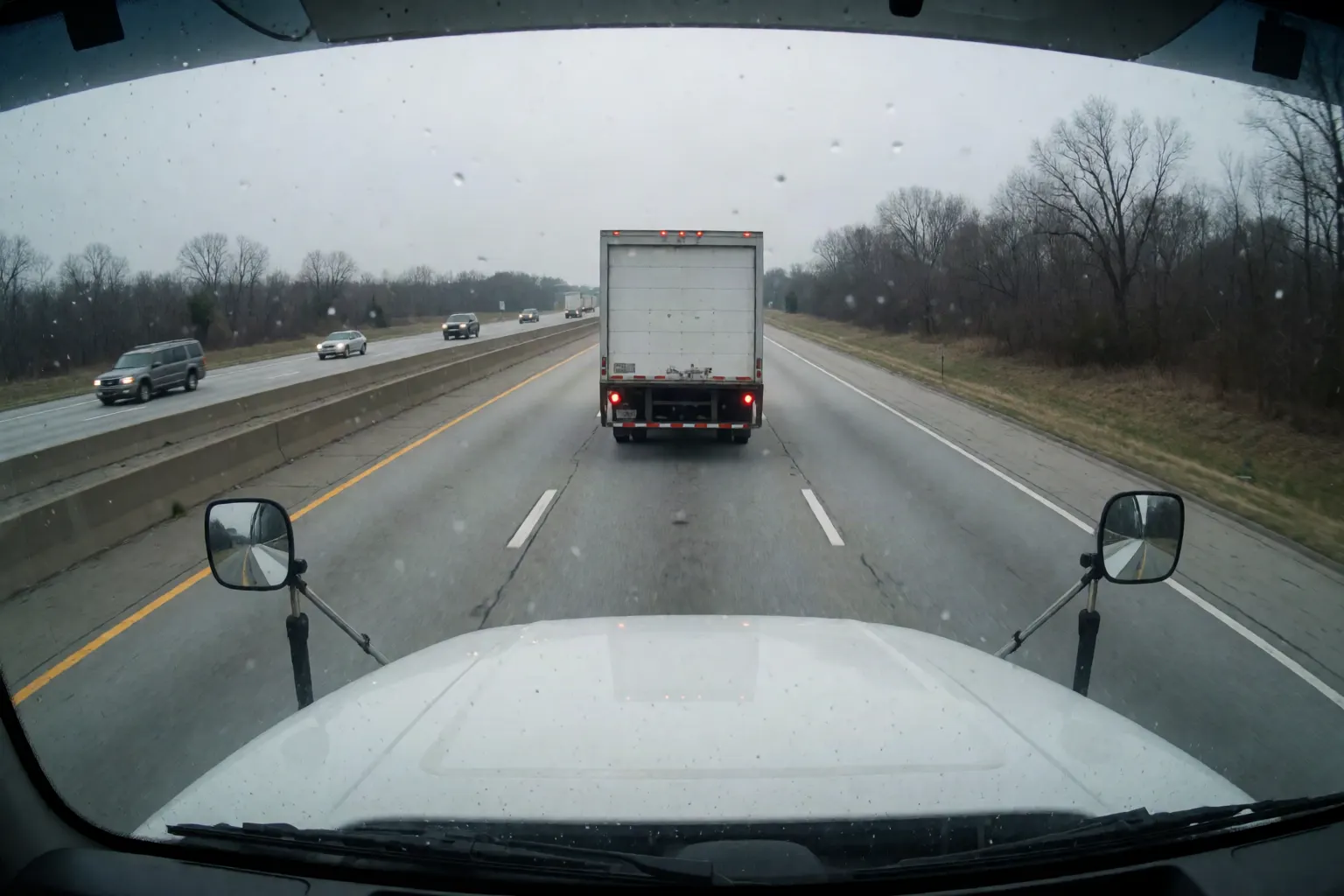
Harsh braking · 0.52 g
T-331 · Daniel Osei · I-294 N
 0:12
52 → 9 mph in 2.1 s
Following 1.4 s · wet road
Forward + driver camNo driver for the 16:00 departure
L-40230 · Fairlane Foods · CHI → IND
24 pallets of auto parts at door 7. Two drivers on call have enough hours.
Engine fault SPN 3251 · FMI 0
T-118 · Ruth Okafor · Gary, IN
Aftertreatment DPF differential pressure high. Safe to continue to the shop; derate not active.
2 more: reefer door open (T-301), geofence exit (T-090)View all 7
Hours of service 96 on duty
 Maria Castellano T-2146 h 12 mdrive left
- JWJames Whitfield T-2070 h 38 mdrive left
- DODaniel Osei T-3317 h 55 mdrive left
- RORuth Okafor T-1184 h 20 mdrive left
- ARAna Ruiz —11 h 00 mdrive left
Driving 71 On duty 25 Off / sleeper 540 violations today
Maintenance 2 due now
98.1%Fleet uptime
3In the shop
14Due in 30 days
- T-118 · DPF pressure faultNow
SPN 3251 FMI 0 · 2 occurrences today · nearest shop 9 mi
- T-052 · DVIR defectOpen 8 h
Left marker lamp out · reported 06:12 by pre-trip
- T-207 · PM-A servicein 340 mi
Oil, filters, chassis lube · booked Thu 07:00
- TR-5530 · Reefer unit servicein 6 days
2,000-hour service · 1,912 engine hours
Next DVIR sweep 18:00Work orders
Loads
| Load | Lane | Pickup | Appointment | ETA | Status | Driver · unit |
|---|---|---|---|---|---|---|
| L-40188Harbor Point Foods | CHI56 / 92 miMKE | 12:40 | 17:30 | 17:05on time | Temp alarm | M. CastellanoT-214 |
| L-40211Ostrander Engines | DET102 / 204 miCMH | 10:15 | 18:00 | 18:42+42 min | At risk | J. WhitfieldT-207 |
| L-40219Brennan Fixtures | CHI64 / 183 miIND | 11:30 | 16:45 | 16:31on time | In transit | D. OseiT-331 |
| L-40220Larchmont Retail | CHI90 / 409 miMSP | 09:05 | 20:15 | 20:02on time | In transit | K. LindqvistT-076 |
| L-40232Harlow Grocers | CHI11 / 283 miDET | 13:50 | 19:40 | 19:35on time | In transit | S. AdeyemiT-145 |
| L-40225Corbel Markets | CHI41 / 41 miAUR | 11:10 | 13:30 | 13:22delivered | Delivered | L. BrandtT-263 |
| L-40230Fairlane Foods | CHI0 / 183 miIND | 16:00 | 20:00 | —not dispatched | Unassigned | No driverdoor 7 |
- L-40188Harbor Point FoodsTemp alarmCHI56 / 92 miMKEM. Castellano · T-214ETA 17:05 · appt 17:30
- L-40211Ostrander EnginesAt riskDET102 / 204 miCMHJ. Whitfield · T-207ETA 18:42 · appt 18:00 +42 min
- L-40219Brennan FixturesIn transitCHI64 / 183 miINDD. Osei · T-331ETA 16:31 · appt 16:45
- L-40220Larchmont RetailIn transitCHI90 / 409 miMSPK. Lindqvist · T-076ETA 20:02 · appt 20:15
- L-40232Harlow GrocersIn transitCHI11 / 283 miDETS. Adeyemi · T-145ETA 19:35 · appt 19:40
- L-40225Corbel MarketsDeliveredCHI41 / 41 miAURL. Brandt · T-263ETA 13:22 · appt 13:30
- L-40230Fairlane FoodsUnassignedCHI0 / 183 miINDNo driver · door 7ETA — · appt 20:00
Safety
87
Fleet safety score, last 7 days
▲ 3 vs previous week
- Speeding11
- Harsh braking6
- Following distance4
- Phone use2
Coaching due
- DODaniel OseiHarsh braking × 2 · following distanceFri
- KLKarin LindqvistSpeeding × 3 on I-90Mon
Latest safety event
Not preventable
 FORWARD13:52:070:20
- Event
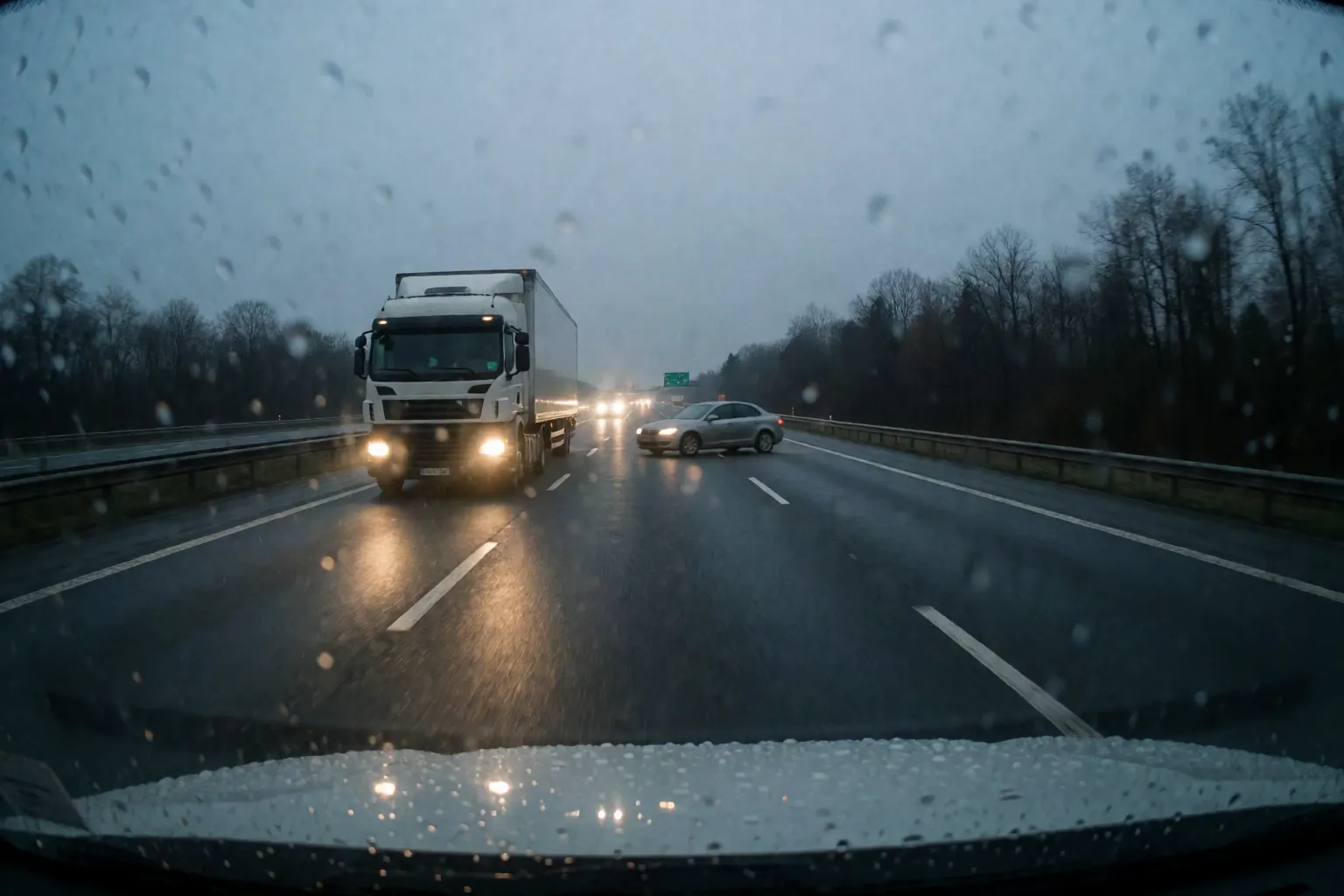
- Cut-in, vehicle from the left lane
- Vehicle
- T-145 · Samuel Adeyemi
- Where
- I-55 S · mile 267, Bolingbrook
- Speed
- 57 → 31 mph · 0.41 g
Fuel & idle
6.9mpg
Fleet average, 7 days
11.2% idle
Engine hours spent idling
Idle cost today: $412. T-118 and T-052 account for 38% of it; both are parked with the engine on at a terminal.
About Fleet. The console a fleet manager trusts for a 12-hour shift: light, dense and calm, with amber only where someone has to act.
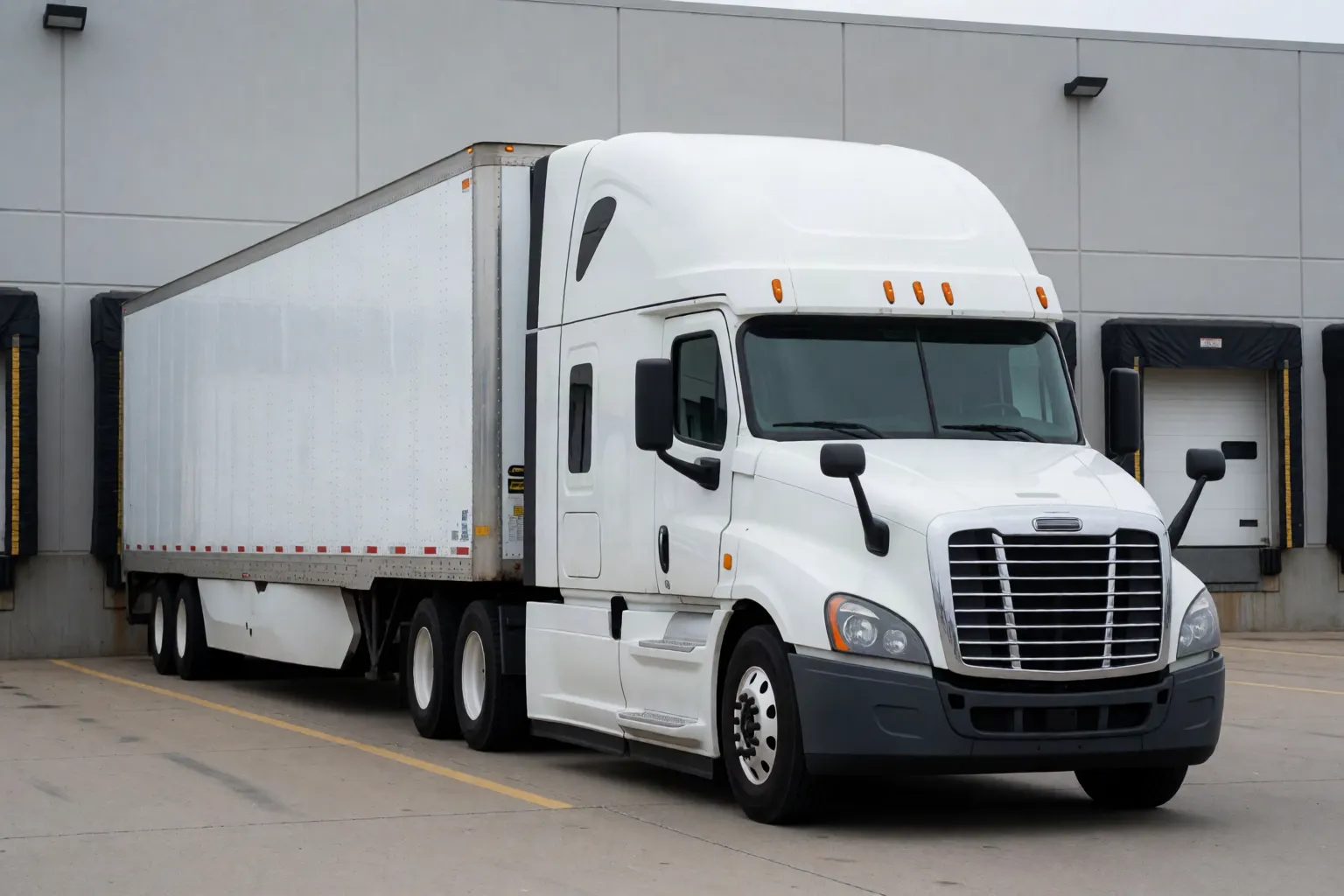
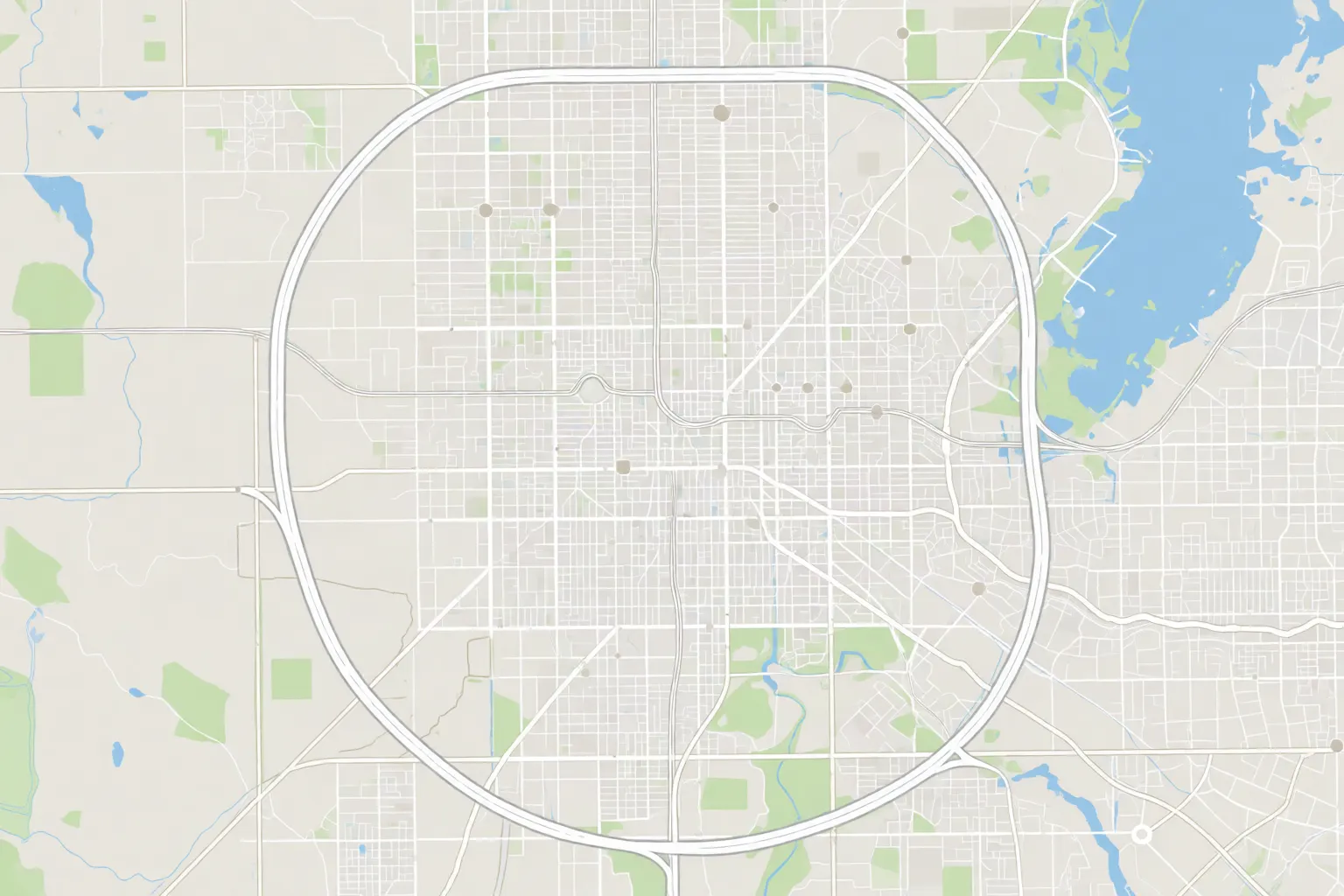
Fleet is the operations overview a dispatcher or fleet manager keeps open all shift, modelled on how the category leaders (Samsara, Onfleet, project44) build their consoles: light, dense and quiet, with colour reserved for status. A grouped sidebar and a top bar with search and a live clock frame a page header with a time-range control and a "New dispatch" button, then a six-cell KPI strip with sparklines. The live map card pairs a filterable vehicle list with a street map carrying heading chevrons, a terminal geofence, a cluster bubble and the selected truck's route, plus a docked panel with a photo of the truck, the driver and reefer, load and ETA readings. Below: a "Needs attention" queue (reefer alarm, hours-of-service limit, a harsh-braking event with its dashcam still, an unassigned load, an engine fault), hours-of-service clocks per driver, maintenance due, a loads board whose lane column shows progress in miles (stacked cards on phones), the fleet safety score, the latest dashcam event and a 7-day fuel and idle chart. Dispatch blue means moving or on plan, signal amber means a person has to act; everything else is neutral.
Colours and type. The palette, fonts and corners every page of Fleet is drawn from.
Headings
IBM Plex Sans
Body
IBM Plex Sans
Radius
10px
The system, applied to any site. Every rule below travels with the template — describe your tweaks and the agent keeps the system intact.
What it decides for you
- Build it the way the category leaders build their consoles (Samsara, Onfleet, project44): an enterprise operations UI, not a poster. Light cool-grey ground (#F2F4F7), white panels with 1px hairline borders and 10px radius, a grouped sidebar, a top bar with global search and a live clock, dense rows and real figures. Nothing decorative or playful.
- Colour is status and nothing else: dispatch blue (#1D5BD6) for moving / on plan, the selected item and the primary action; signal amber (#B4530A) only when a person has to act (alarm, late, unassigned, fault). Idle, stopped and delivered are neutral grey. Every status also carries a word and a glyph (chevron, pause bars, dashed ring, pulse).
- IBM Plex Sans for the UI (600 for titles and figures, tight tracking), IBM Plex Mono with tabular numerals for unit numbers, load IDs, times and mileage.
- The map is the centre of the page: a muted basemap with heading chevrons, a terminal geofence, a cluster bubble, the selected truck's driven route solid and its remaining route dashed, layer toggles, zoom and a legend; the vehicle list sits beside it and the selected vehicle opens a docked panel with a photo of the truck and the driver.
- Lead with what needs a decision: the KPI strip shows open exceptions in amber, and the "Needs attention" queue gives every item a severity tile, the unit, driver and load, one line of context and a primary action. Safety events show the dashcam still.
- Tables are Linear/Stripe-style: quiet grey header row, hairline rows, status pills, the lane column drawn as origin and destination codes over a progress track with miles; on phones each row becomes a card.
- Imagery is real operations photography: an unbranded white semi and reefer trailer at a terminal, a driver portrait, forward dashcam stills, and a light street basemap. Generate it; never show a real carrier's livery.
- US units throughout (mph, mi, °F), every colour from the --ca-* tokens and color-mix() so the console recolours under any preset, and motion only where it means something (exception pulse, route flow, live dot), stopped under prefers-reduced-motion.
Ships with
- Grouped sidebar (Overview; Fleet: Vehicles, Trailers, Live map; Dispatch; Safety; Compliance; Operations) with an org switcher and open-count badges; on phones a top bar plus a scrolling section strip
- Top bar: global search with ⌘K, live clock, alerts bell with count, user
- Page header: breadcrumb, "Operations overview", Today / 7 days / 30 days, terminal filter, Export, New dispatch
- KPI strip: vehicles in service, on-time delivery, open exceptions (amber), loads in transit, idle time, fuel economy, each with a sparkline and change
- Live fleet: filterable vehicle list beside a street map with chevrons, geofence, cluster, the selected truck's route, layer toggles, zoom, legend and a docked selected-vehicle panel (truck photo, driver, speed, reefer, load, ETA, drive time, Call / Message / Share ETA)
- Needs attention queue: reefer alarm, hours-of-service limit, harsh braking with dashcam still, unassigned load, engine fault, each with actions
- Hours of service: per-driver drive / shift / cycle clocks and drive time left, duty-status totals
- Maintenance: uptime, in the shop, due soon, then faults, DVIR defects and scheduled service
- Loads board: status tabs, load / lane progress / pickup / appointment / ETA vs appointment / status / driver; stacked cards on phones
- Safety score with events by type, the latest dashcam event with its readings, and a 7-day fuel and idle chart
- Status footer: gateways online, ELD sync, data refresh time
Keep looking. More from the library, dashboard first.
Browse allDashboardCockpitA product-analytics board in the register of Mixpanel, Amplitude and PostHog: a Linear-style sidebar, filter chips, a written weekly summary, KPI cells, an annotated trend, a breakdown, a funnel, retention curves, a cohort heatmap, an accounts list and an annotation feed.DashboardPulseA sales CRM workspace in the register of Attio and Pipedrive: a quiet sidebar, the quarter as KPI cells over a forecast bar against quota, a kanban pipeline with rotting deals in red, reps against quota, the commit call, today and the activity feed.DashboardKanbanA light cycle board in the register of Linear and Jira: workspace sidebar, an inset work surface with Board / List / Timeline views, a cycle header with progress and burndown, WIP-limited columns of dense issue cards, and workload, attention and activity panels.DashboardLedgrA logged-in household money app in the register of Monarch Money and Copilot Money: a left rail with the household, four summary tiles, flex spending against an even pace, a budget with pace ticks, net worth with assets and liabilities, the next 14 days of bills, transactions to review, goals with their own photos and an October cash-flow Sankey.DashboardReachA cross-network social analytics app in the register of Sprout Social and Buffer Analyze: a report sidebar, a date range with a "compared to" line, five summary cards with previous-period figures, audience growth against the last period, ranked top posts, best times, audience and a per-profile table.DashboardOrgChartThe working app of a people directory and org chart tool, in the register of Rippling, ChartHop and Pingboard: a grey sidebar, a white workspace, a KPI strip, a dot-grid org chart of photo cards with the reporting line to a search match drawn in indigo, a profile panel, headcount against plan, recent changes, a directory table, open roles and starters.DashboardSmartRouteThe approvals workspace of an internal request-routing tool, in the register of Linear Asks, Ramp and Zip: queues in a quiet sidebar, a dense request list with SLA clocks and approval pips, and a detail pane that shows why a request came to you and who has already approved it.DashboardRunwellThe operations workspace of a distribution site, in the register of Linear, SafetyCulture and Deputy: a request queue grouped by what has to happen next, an opening checklist run step by step with every tick timestamped, the week's rota against required headcount, automations and inbound purchase orders.DashboardSignalA light product-discovery workspace in the register of Productboard and Canny: an objective with its key result, ideas ranked by votes, customer impact and score, a detail panel with a live prototype test and the quotes behind it, plus a Now / Next / Later roadmap and an insights feed.DashboardFieldhouseThe logged-in app of an applicant tracker for a people team, in the register of Ashby, Greenhouse and Lever: a stage board whose cards say what happens next, interview scorecards side by side, onboarding checklists and time-off approvals.The libraryAll 104 templates.Every category — stores, booking, portfolios, dashboards — in real code.
Make it yours in minutes.
Start from this template and describe your tweaks — content, sections, colours. The backend and deploy are handled.